Electricians and service trades
- Work orders with permits and inspections
- Sales tax by county, worked out from the address
- Service plans that book their own visits
- Flat-rate or hourly, from your own price book
For electricians, repair shops, route services and contractors
Quotes, the schedule, your crew's phones, invoices, payments, parts, payroll hours and the books, all in one place. Nothing to keep in sync, nothing typed twice, no add-ons to buy.
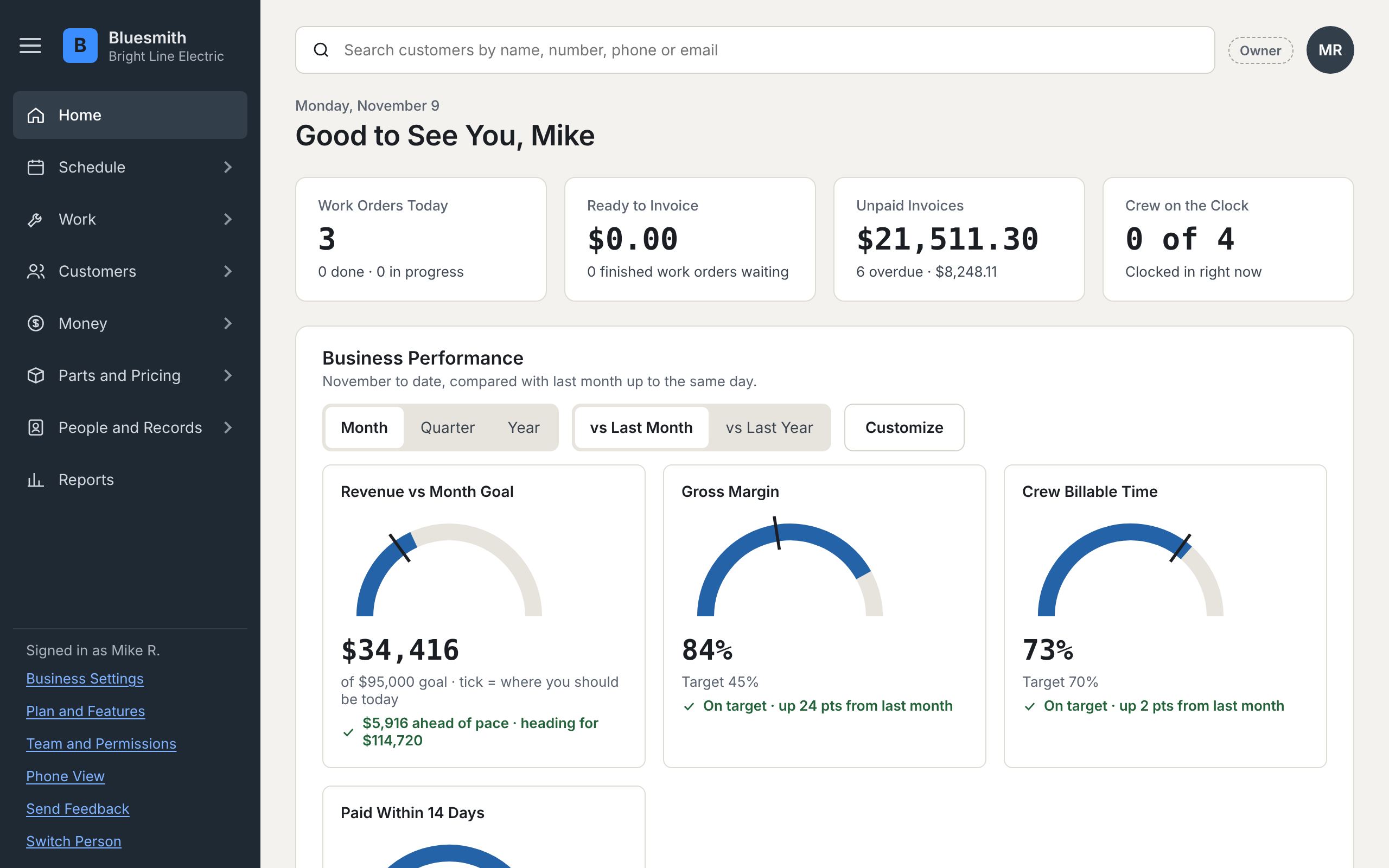
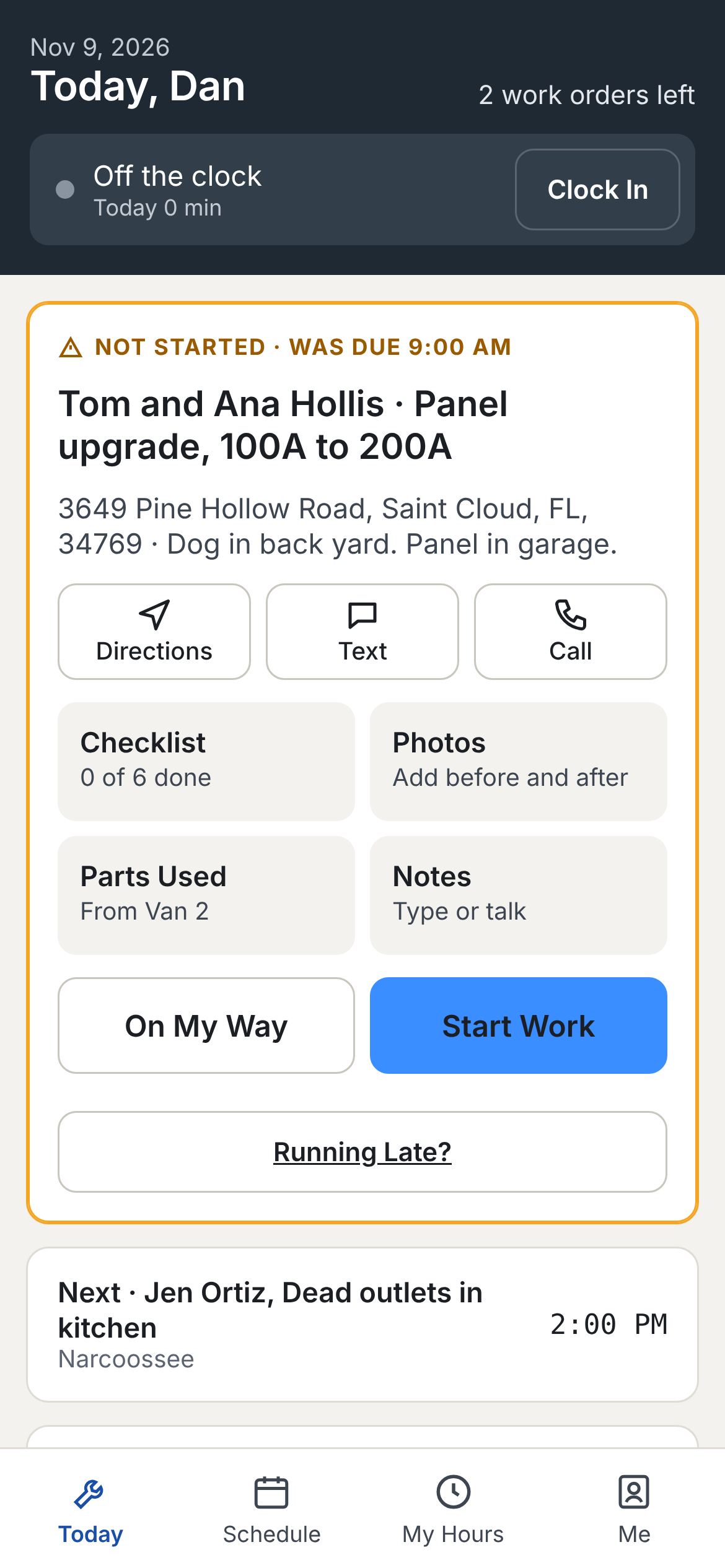
One for estimates, one for the schedule, a spreadsheet for parts, a payroll site, and accounting software someone has to keep in sync. Every hand-off is typing, and every bit of typing is a chance to miss a bill.
"I built this after years running a heavy equipment service department and working civil construction sites. Everything an owner needs during the workday is in one place, so you never have to open another program."
Chad, founder
Every step picks up where the last one left off. Nobody retypes anything.
From your website's request form or a phone call. It lands on your sales board with a follow-up date.
Build it from your price book. The customer says yes or no line by line on their phone.
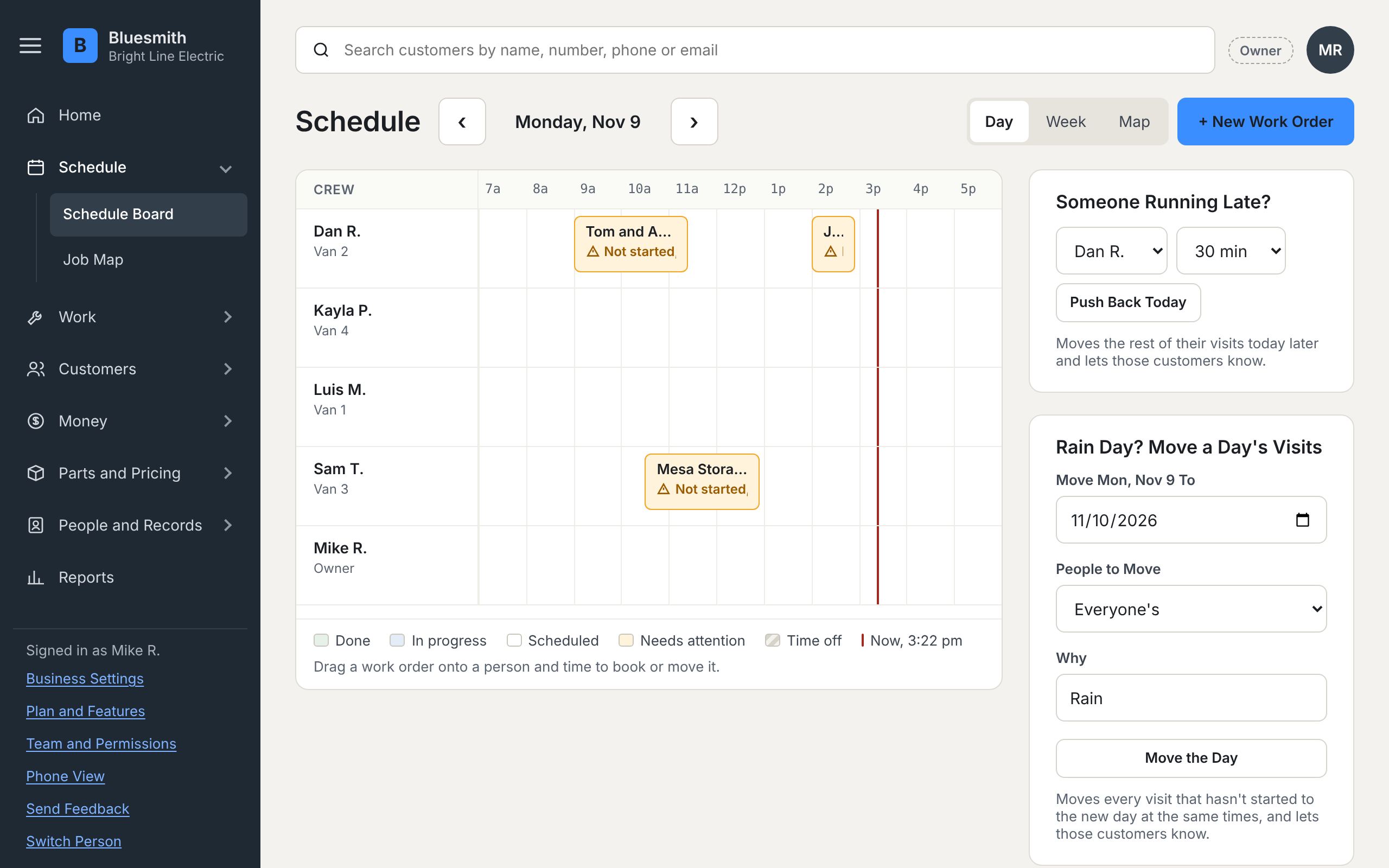
Approved lines become a work order. Drag it onto a person and a time. Reminders go out by themselves.
The crew clocks in, ticks the checklist, takes parts off the van, adds photos and gets a signature.
One button turns the finished work into an invoice. Payments, credits and what's past due follow it.
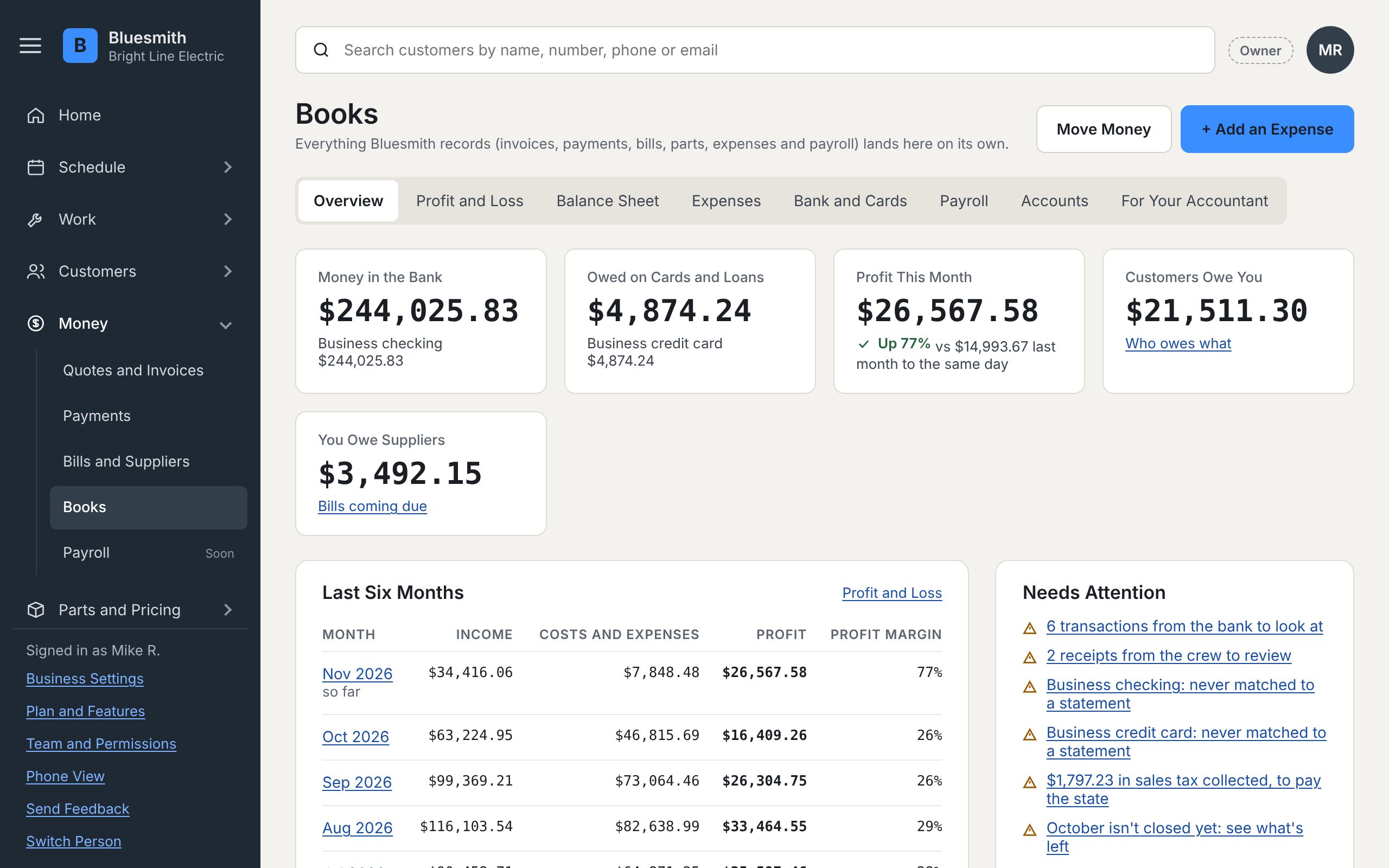
Sales tax, parts cost, labor and profit post as you go. Your accountant gets one download.
Your crew down the side, the hours across. Drag a waiting job onto a person and a time. Late starts, jobs running over and double-bookings show in amber before they turn into a phone call.
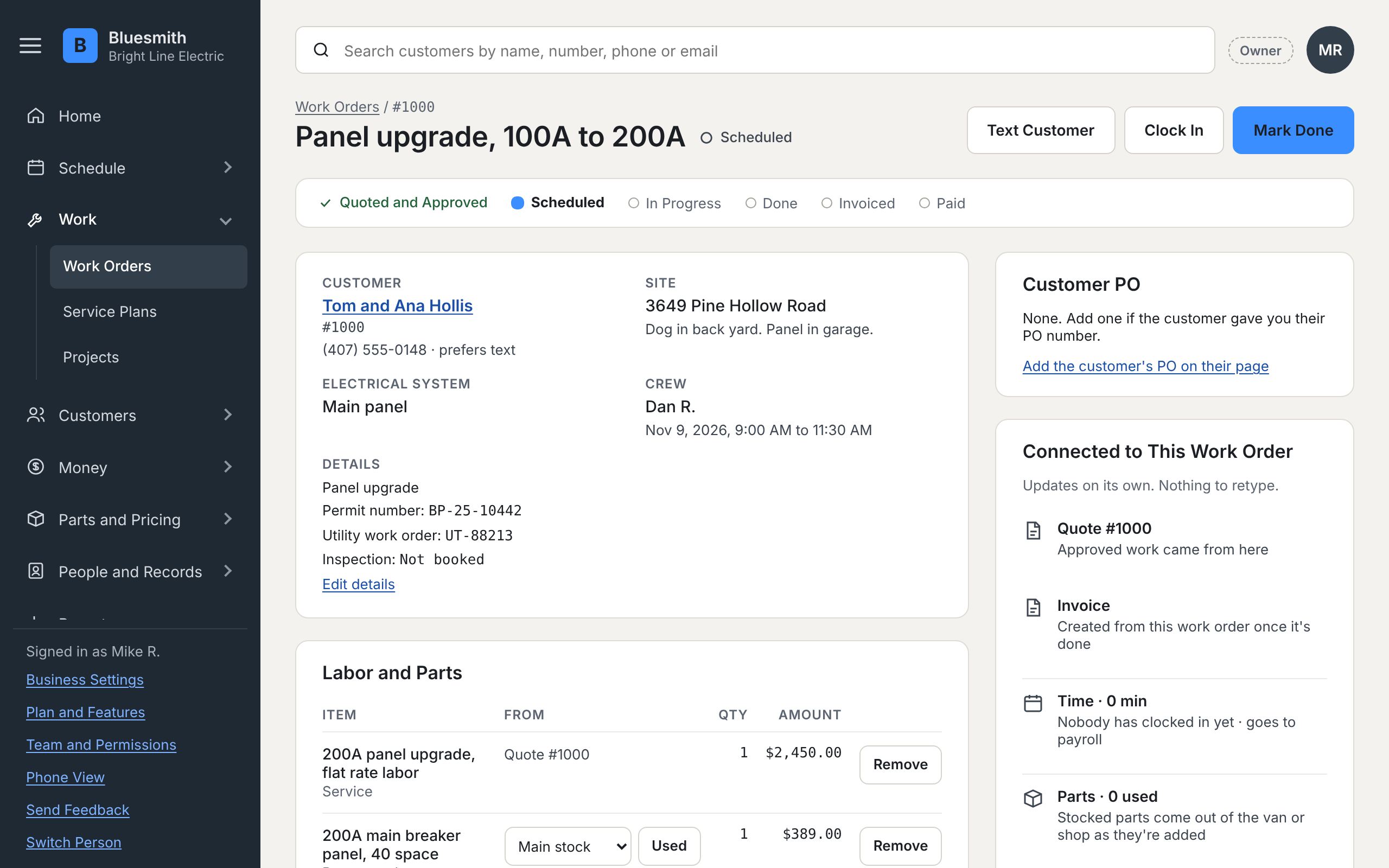
The approved estimate becomes the work order. The crew's clock, parts and photos land on it as they work, and the profit is worked out as you go.
Not a connection to someone else's accounting program: the real books, kept as you work. Bank and card files sort themselves by rules it learns from you.
Pick your trade and it comes with your words, starter price book, checklists and dashboard. Same program underneath, so you never outgrow it.
Hiring, reviews, time-off balances on any date, paperwork, and titles that set what each person can do.
Every van, shop and yard, bins and labels, purchase orders received in parts, and counts.
Month, quarter or year, compared with last period or last year. Build your own dashboard.
Every job, estimate, invoice, payment and document for a customer or a single machine.
Every plan has customers, estimates, work orders, the schedule, the crew's phones, invoices and payments, the books, sales tax, the price book and reports. No contracts; move up or down any time.
For one truck getting organized
Pricing coming soon
For a growing crew
Pricing coming soon
For shops with suppliers and stock
Pricing coming soon
For contractors and project work
Pricing coming soon
No. Bring in your customer list and price list from Excel or a download from the program you use now, and start with the next job. Your old program can stay where it is until you're comfortable.
No. The crew works from their phone: their day, directions, the clock, parts, photos, notes and the customer's signature.
You do. Download everything, any time, in one file: customers, invoices, payments, documents and the books. Nothing is ever erased; mistakes are voided with a reason so the history stays.
Each business is walled off from every other one inside the database, sign-in can require a code from your phone, and there's an encrypted backup every night.
Pricing is coming soon. Trial businesses use it free. There won't be contracts: pick the plan that fits, and move up or down any time.
In the United States.
We're picking a small group of businesses to use Bluesmith free and tell us what's missing. Any trade, any size, from one truck to a crew of fifty.